
There has been a rise of SessionReaper (CVE-2025-54236) attacks targeting Magento 2 websites.
It happened to one of the stores I maintained. Here is how I found out about it:
I got a notification about a new pub/media/customer_address folder created (I have a bash script that keeps track of new/modified files/folders. You should too). That was strange and I went to investigate.
Inside was some session files with suspicious content. I checked the access logs and here it was, the exploit attempt:
"GET / HTTP/2.0" 200 20 "-" "Mozilla/5.0 (Macintosh; Intel Mac OS X 10.12; rv:48.0) Gecko/20100101 Firefox/48.0" 51
"GET / HTTP/2.0" 200 38096 "-" "Mozilla/5.0 (Macintosh; Intel Mac OS X 10.12; rv:48.0) Gecko/20100101 Firefox/48.0" 69
"POST /customer/address_file/upload HTTP/2.0" 200 63 "https://www.domain.com/" "Mozilla/5.0 (Macintosh; Intel Mac OS X 10.12; rv:48.0) Gecko/20100101 Firefox/48.0" 91
"GET /media/customer_address/8/0/806a7e3dd025.phar HTTP/2.0" 200 1021 "https://www.domain.com/customer/address_file/upload" "Mozilla/5.0 (Macintosh; Intel Mac OS X 10.12; rv:48.0) Gecko/20100101 Firefox/48.0" 34
OMG! I needed to do something. Below I will describe what I did. You can follow my advice to keep your Magento store safe.
1. Install the official Adobe Patch if You haven’t So Far
Adobe released the official SessionReaper patch APSB25-88.
Go ahead and install it, the instructions are easy to follow. Although it might not fully protect you it’s still worth having.
A step further would be to upgrade to the latest security patch for your Magento version.
2. Block Access to Customer_Address and Customer/Address_File/Upload for Any IP
Since they are trying to put files to pub/media/customer_address and send POSTs to /customer/address_file/upload it’s important to close those URLs for anyone.
Contact your website hosting team and ask them to:
- Deny access to /media/customer_address URL
- Deny access to /customer/address_file/upload URL
Those two URLs should send 403 Access Denied to any IP.
3. Brick vendor/magento/module-customer/Controller/Address/File/Upload.php Controller
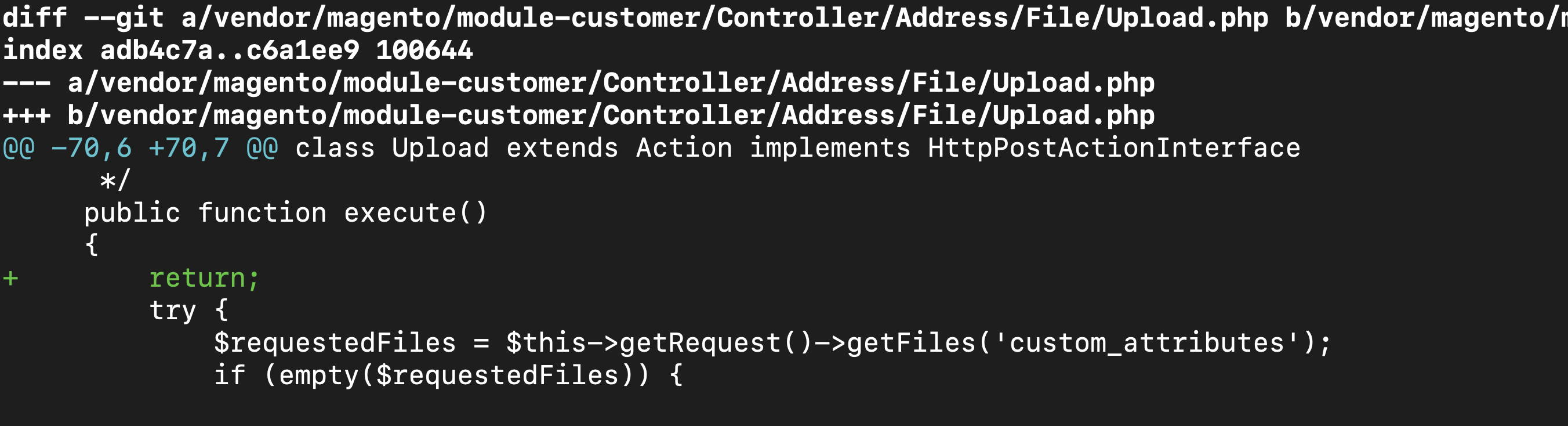
Let’s completely silence the customer address file upload controller vendor/magento/module-customer/Controller/Address/File/Upload.php. This PHP code file lets users upload customer address files and we better turn it off for good.
I added return to execute function:
diff --git a/vendor/magento/module-customer/Controller/Address/File/Upload.php b/vendor/magento/module-customer/Controller/Address/File/Upload.php
index adb4c7a..c6a1ee9 100644
--- a/vendor/magento/module-customer/Controller/Address/File/Upload.php
+++ b/vendor/magento/module-customer/Controller/Address/File/Upload.php
@@ -70,6 +70,7 @@ class Upload extends Action implements HttpPostActionInterface
      */
     public function execute()
     {
+        return;
         try {
             $requestedFiles = $this->getRequest()->getFiles('custom_attributes');
             if (empty($requestedFiles)) {
Now whatever they do they wouldn’t be able to upload malware to customer_address folder.
That’s how I keep my stores safe.
Do you have any suggestions? Leave them in comments down below.
If you need assistance - don't hesitate to contact me for a free quote.
Peace!
Find this article useful? Share it on LinkedIn with your professional network, spread the knowledge!
If you find this post interesting do not hesitate to sign up for our newsletter and join the 1010 people who receive Magento news, tips and tricks regularly.
Thank You!